Project creation and status
Create the project with its customer and commercial context, then manage its operating status.

Mechanical contractor project management
Ventrixx connects project status, task ownership, planning, schedule events, changes, purchasing, progress billing, closeout evidence, and job-cost context behind mechanical work.
Inside Ventrixx
Use the project board to see scheduled, in-progress, completed, held, and material-dependent work in one operating view.
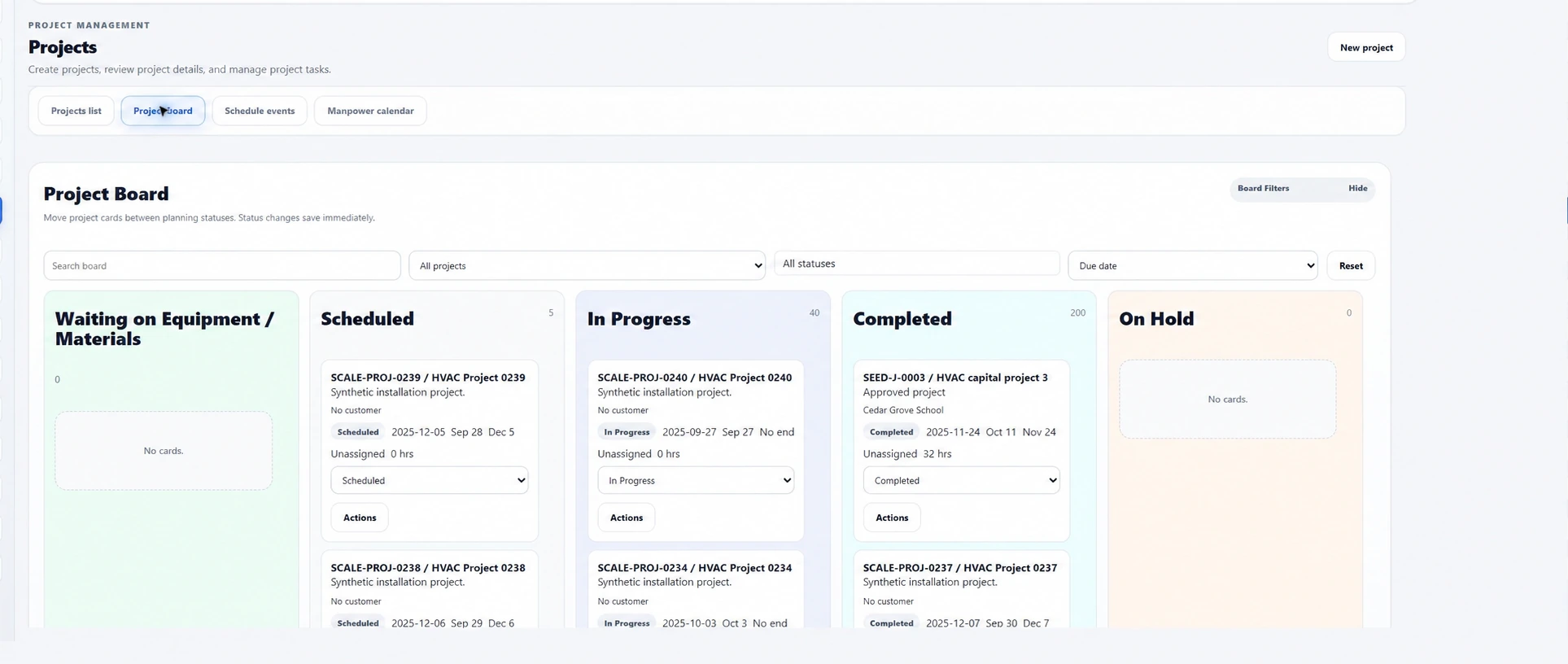
Project control for mechanical work
The record carries approved work into project execution and the supported financial controls that follow.
Create the project with its customer and commercial context, then manage its operating status.
Assign project tasks and make responsibility visible to the team.
Use Gantt-style planning and schedule events to organize the work ahead.
Keep change orders, purchasing, and commitment context tied to the project.
Maintain Schedule of Values and pay-application context, including stored materials and retainage.
Preserve closeout evidence alongside supported cost and project-financial context.
Project commercial control
Keep the original award, revisions, commitments, and closeout decisions visible to the people managing the job.
Check readiness, create and lock a project spend plan, preview revisions or date corrections, and preserve the plan history.
Build change-order line items, track status and office handoff decisions, and preview, generate, and download change-order documents.
Carry Schedule of Values through pay applications, retained billing records, retainage receipts, and release invoices.
Review closeout evidence, mark work complete, close the project, or reopen it with the appropriate office authority.
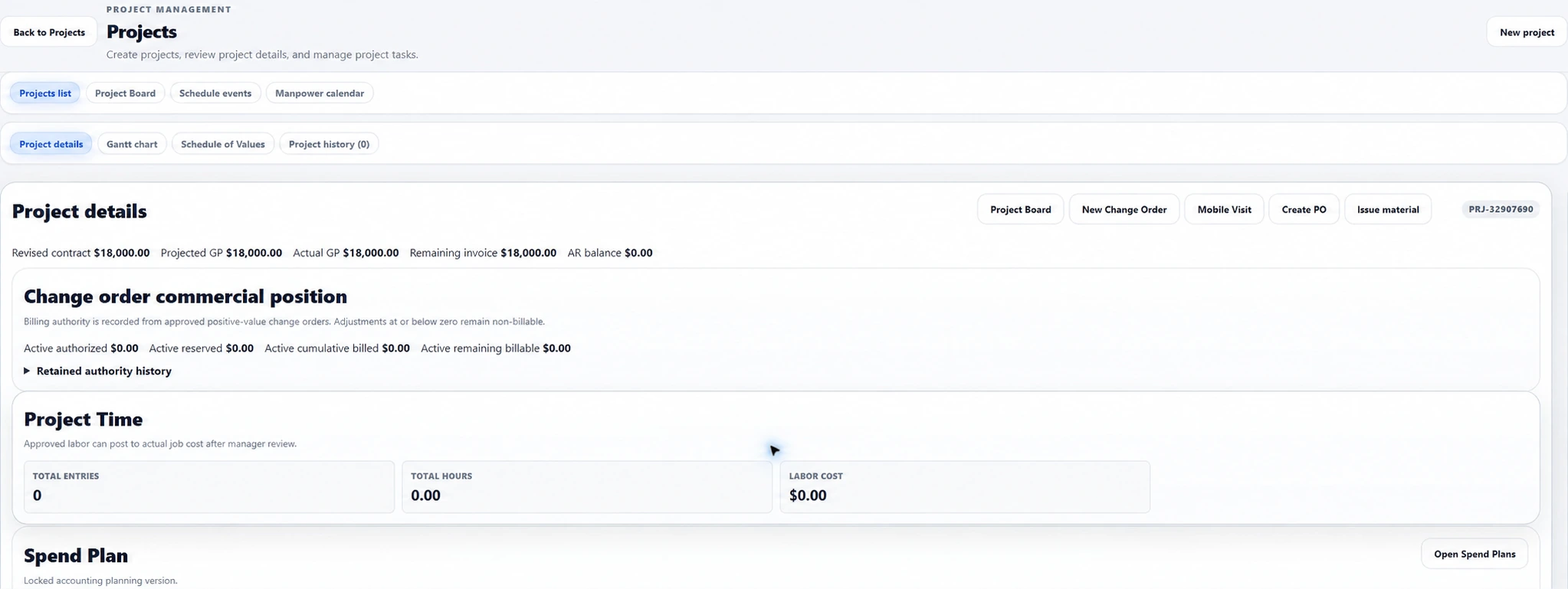
The project workflow
Teams can move work forward while preserving the records needed to understand the job.
Bring customer, scope, pricing context, and project status together.
Coordinate owned tasks, Gantt-style plans, and schedule events.
Keep change orders, purchasing, and job-cost context connected to the project.
Carry progress billing, financial context, and closeout evidence through the project lifecycle.
Explore related workflows