Purchasing and receiving
Manage vendors, purchase orders, partial receipts, commitments, and their job context.

Job cost, billing, and accounting
Ventrixx connects purchasing, receiving, vendor bills, inventory, service invoicing, progress billing, payments, journals, reconciliations, statements, and close workflows to the operational records behind them.
Inside Ventrixx
Open receivables, payables, ledger, journals, fixed assets, statements, period close, and setup without separating finance from its operational source.

Financial context across the work
Operational and financial records retain the customer, vendor, project, service, and inventory context that explains them.
Manage vendors, purchase orders, partial receipts, commitments, and their job context.
Carry receipts into vendor-bill review and payment workflows with source context.
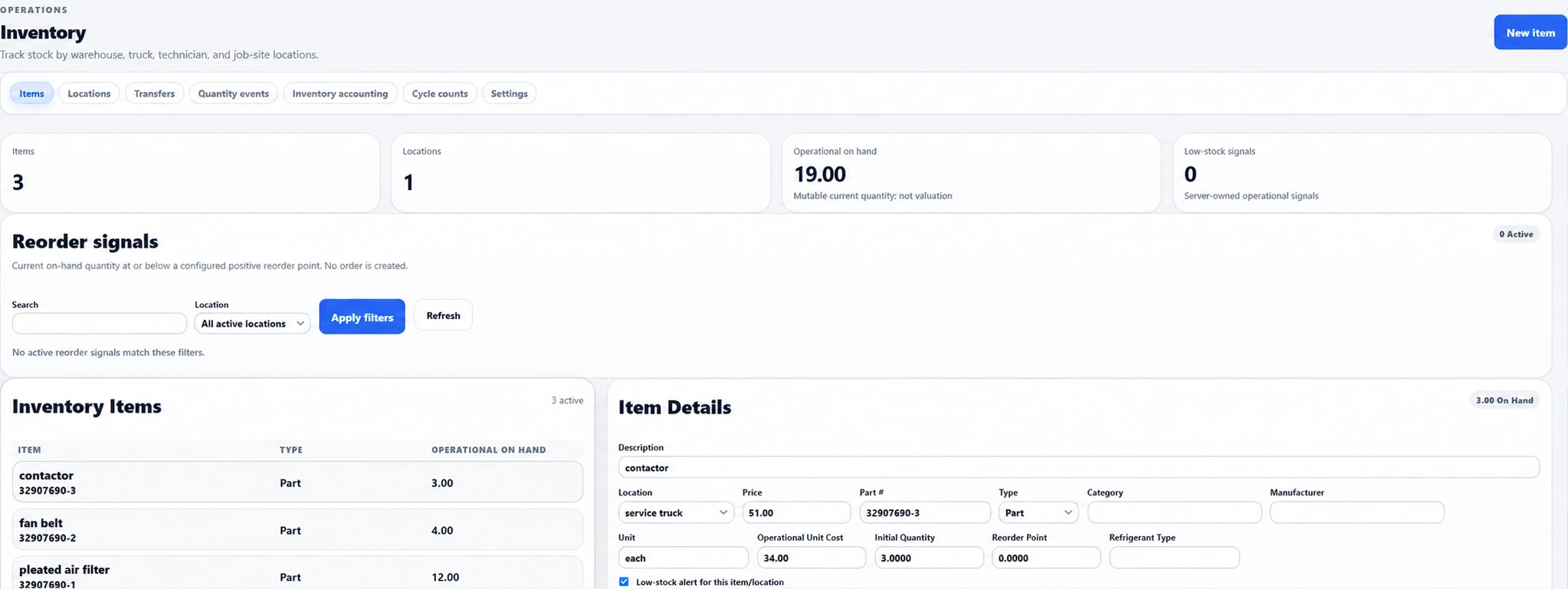
Track locations, stock movement, issues to work, and cost history.
Move reviewed service charges into invoicing and customer-payment workflows.
Maintain Schedule of Values lines, pay applications, stored materials, completion, and retainage context.
Use general ledger accounts, journals, reconciliations, financial statements, fiscal periods, and period-close controls.
Purchasing and stock control
Material decisions retain their vendor, location, and job context.
Manage purchasing documents, receiving, vendor-bill review, approval exceptions, payments, and payment batches.
Reserve stock for supported jobs when reservation controls are enabled, release reservations, and review reorder signals before purchasing.
Move stock between locations, preserve quantity-event history, issue materials to work, and review the supported inventory cost subledger.
Time, payroll preparation, and expenses
Give employees and office reviewers a traceable route from submission to approved records.
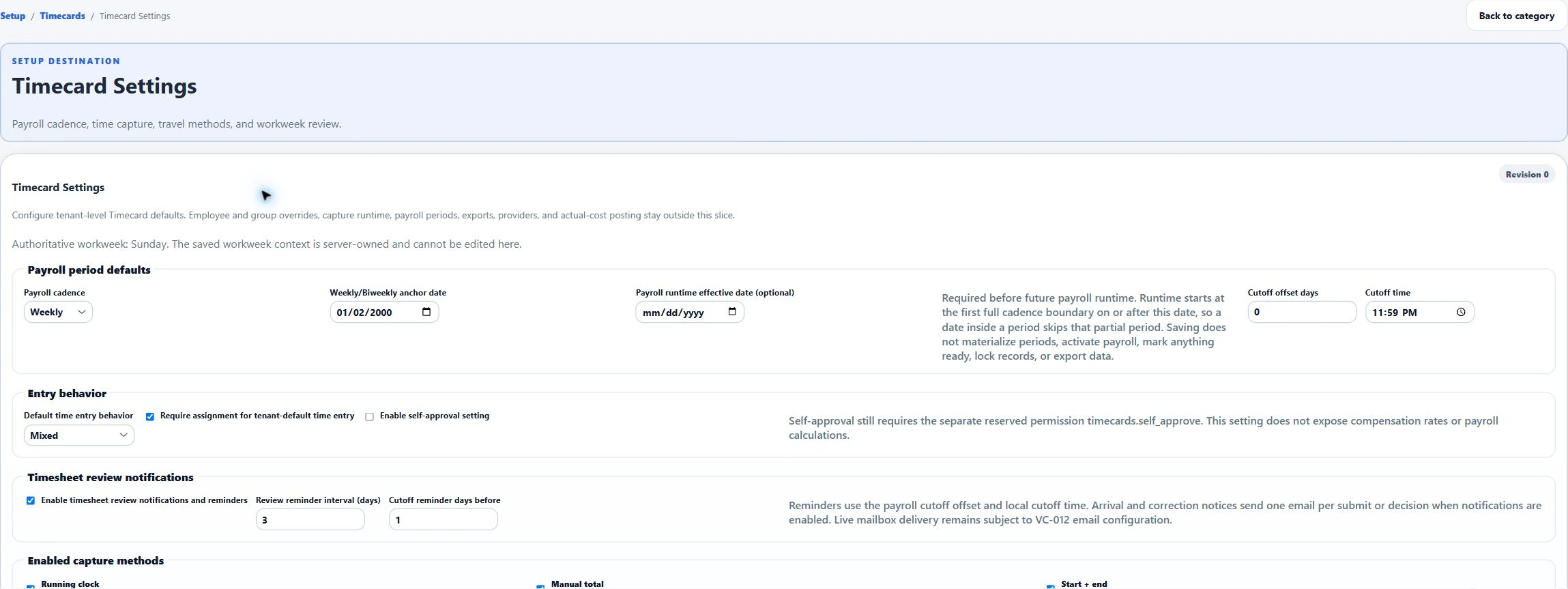
Capture weekly job and non-job time, submit it for review, approve it or request a correction, and preserve submission versions and review history.
Review payroll-period readiness, participant coverage, and zero-hour attestations. Lock a ready period and create versioned CSV exports for payroll processing.
Submit expense reports with receipts, route them through approval and accounting queues, and track reimbursement payables and supported accounting corrections.
Prepare incentive submissions from proposal context, approve them, and preserve the payment handoff when company incentive settings are configured.
Controller workflows
Configured accounts, policies, fiscal periods, and office permissions guide the supported workflow.
Capture project work-in-progress schedules under a configured policy, review source and cost evidence, freeze the schedule, and download its PDF. Prepare and review journal proposals before posting or reversal.
Maintain asset classes and an approved fixed-asset register. Generate depreciation journal drafts and record transfers, impairment, and disposal workflows.
Review ledger-derived statements and contributors, import bank statements for reconciliation, retain Cash Flow snapshots, and assemble controller close packages.

Reports and Reporting AI
Explore performance with the filters, source detail, and permissions that apply to each report.
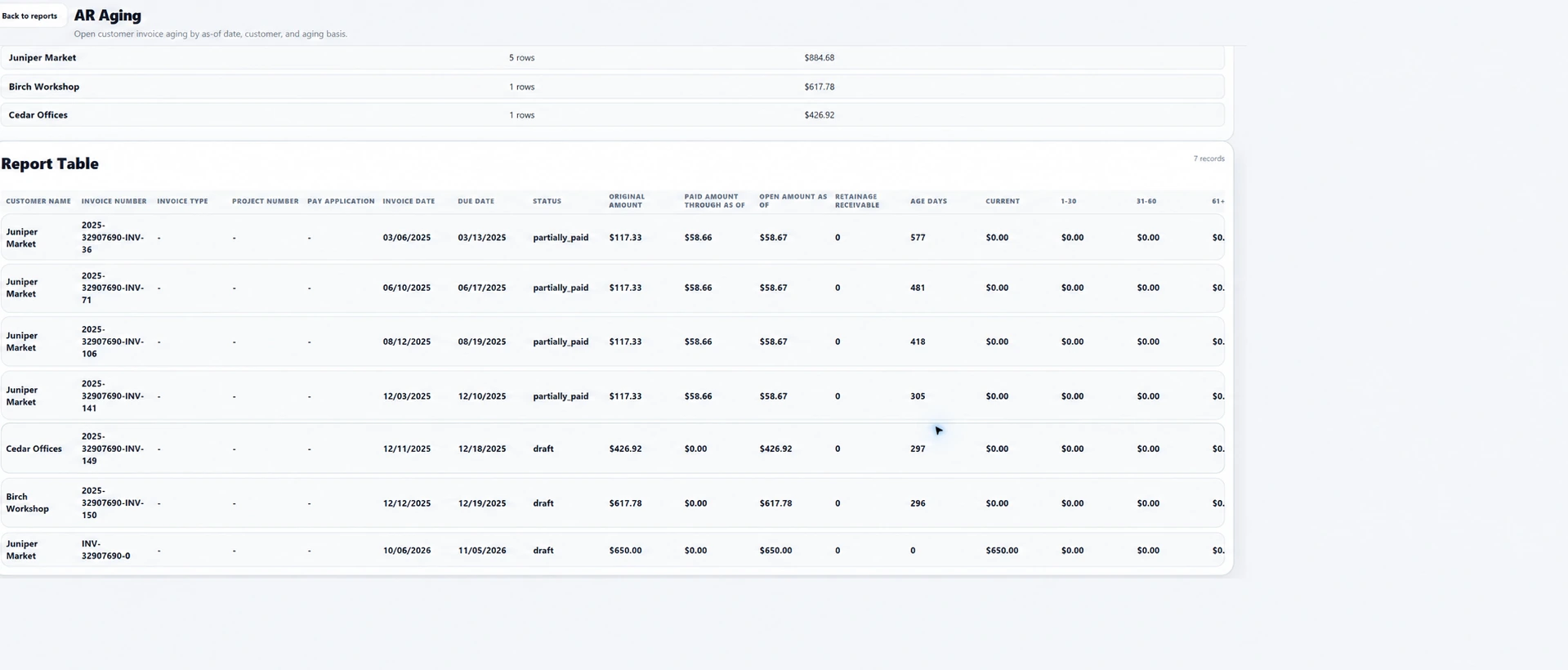
Review proposal, project, service, maintenance, customer profitability, job-cost, aging, payment, and executive KPI reports. Drill into source detail and notes; report readiness depends on the underlying records.
Build and preview reports from supported sources, save the definition, reopen or archive it, and export report results to CSV or PDF.
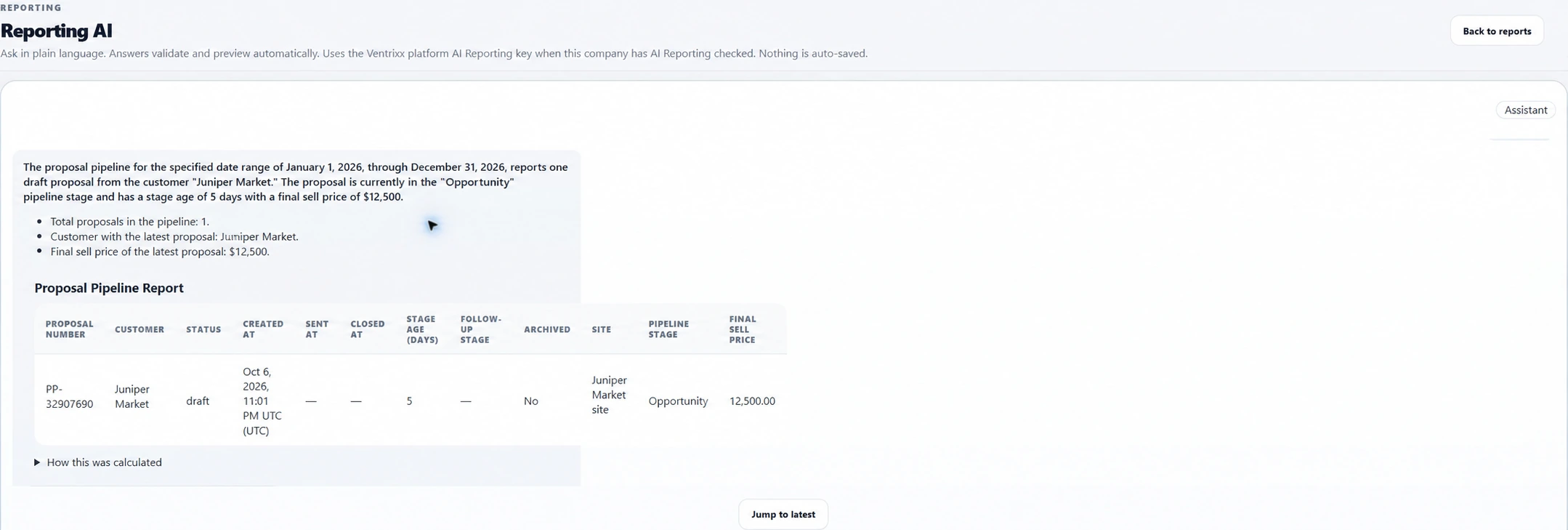
When AI reporting and its provider are configured, use plain-language requests to prepare supported report plans. Review filters and fields, preview results, and save plans for repeat use and CSV/PDF exports.
Configure report schedules and recipients, retain generated artifacts, and review delivery runs. Email delivery requires company mail configuration.
The financial workflow
Ventrixx reduces handoffs between the people doing the work and the people responsible for the numbers.
Record orders, receipts, vendors, inventory movement, and job context.
Connect materials, vendor activity, service, and projects to financial follow-through.
Use the supported service or Schedule of Values workflow for the work.
Carry supported ledger activity through statements, reconciliations, fiscal periods, and close controls.
Explore related workflows